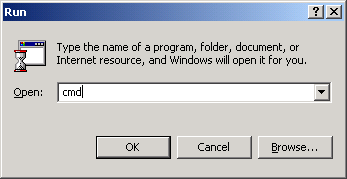
Select Start -> Run:
Type 'cmd' into the 'Open' line and hit enter:
Type 'ipconfig /renew all' and hit enter, confirming there is an address starting with '192.168' on the 'IP Address' line after the command finishes: